

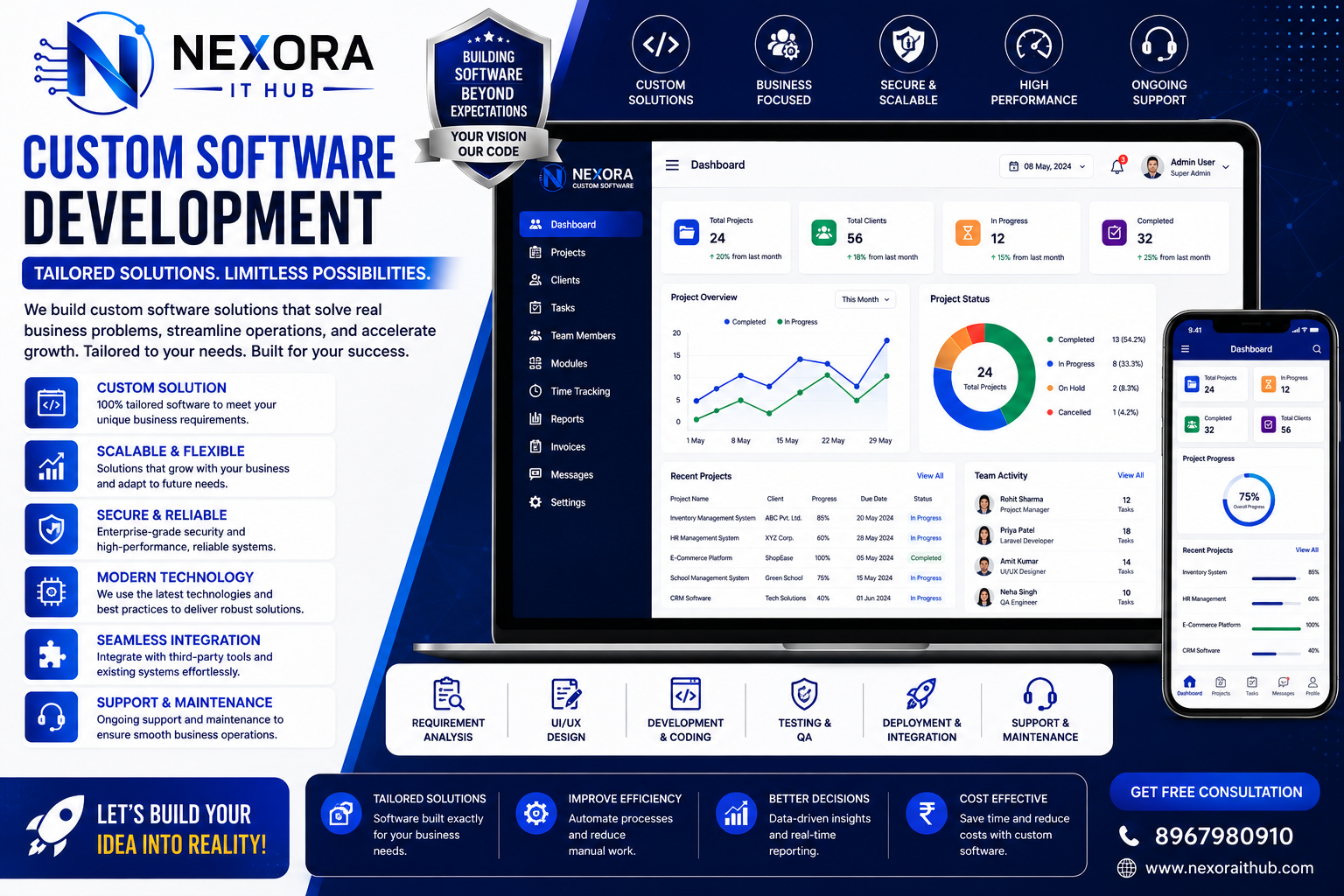
Custom Software Development
Custom Software Development
Custom Software Development is the process of designing and developing software specifically around a business's unique requirements, workflows, customers, employees, and operational goals.
Unlike generic software that provides the same features to every business, custom software can be built according to your exact business process. From a simple internal management system to a large-scale ERP, CRM, SaaS platform, marketplace, business automation system, or enterprise application, custom software can be designed with the features your organization actually needs.
Nexora IT Hub provides customized software development solutions for businesses looking to automate operations, improve productivity, manage data efficiently, and build scalable digital platforms.
What is Custom Software Development?
Custom Software Development means creating a software solution specifically for a particular business, organization, industry, or business model.
A custom software project can include:
- Business Management Software
- CRM Software
- ERP Software
- HR & Payroll Software
- Inventory Management
- Accounting Software
- Billing & POS Software
- School Management Software
- Hospital Management Software
- Hotel Management Software
- Ecommerce Platforms
- Marketplace Software
- Booking Software
- Customer Portals
- Employee Portals
- SaaS Platforms
- API-Based Applications
- Business Automation Systems
- Custom Web Applications
- Mobile Applications
The software architecture, interface, features, database, user roles, integrations, and workflows can be customized according to project requirements.
Why Choose Custom Software Development?
Every business operates differently.
A standard software solution may include many features that you don't need while missing important features that your business actually requires.
Custom software allows businesses to build a solution around their own workflow.
For example:
Your Business Process → Custom Requirements → Custom UI/UX → Custom Development → Testing → Deployment → Support
This approach can provide greater control over the software and its future development.
Benefits of Custom Software Development
1. Software Built Around Your Business
Custom software is developed according to your business requirements rather than forcing your organization to change its workflow to match an existing application.
The system can be designed around:
- Business processes
- Employee workflows
- Customer requirements
- Industry requirements
- Reporting requirements
- Approval processes
- Internal policies
2. Improved Business Automation
Manual tasks can consume significant employee time.
Custom software can automate repetitive processes such as:
- Data entry
- Invoice generation
- Customer notifications
- Order processing
- Employee management
- Report generation
- Stock updates
- Approval workflows
- Task assignments
Automation can reduce repetitive work and help employees focus on higher-value activities.
3. Increased Productivity
A well-designed application can bring important business functions into one centralized system.
Employees can access the information they need without switching between multiple disconnected tools.
This can improve:
- Workflow efficiency
- Team collaboration
- Data accessibility
- Task management
- Operational visibility
4. Complete Control Over Features
With custom development, businesses can decide exactly what the software should contain.
Features can be:
- Added
- Removed
- Modified
- Expanded
- Integrated
This gives businesses greater control over their technology platform.
5. Scalable Architecture
A custom application can be designed with future growth in mind.
For example, a small business may initially require:
Admin + Employees + Customers
Later, the platform can expand with:
Branches + Vendors + Mobile App + API + Advanced Reports + Automation
Scalability depends on the application's architecture, infrastructure, and development approach.
6. Better Data Management
Custom software can centralize important business information.
Instead of keeping information across spreadsheets, paper files, emails, and multiple applications, businesses can manage data through one system.
This can include:
- Customer data
- Product data
- Employee information
- Sales
- Purchases
- Orders
- Payments
- Inventory
- Reports
7. Advanced Reporting
Businesses can create reports specifically around the information they need.
Custom reports may include:
- Sales reports
- Customer reports
- Employee reports
- Inventory reports
- Financial reports
- Branch reports
- Performance reports
- Management dashboards
Reports can be filtered by date, user, department, branch, category, or other business parameters.
Custom Software Development Features
1. Custom Admin Dashboard
A centralized admin dashboard provides management with control over the application.
Dashboard widgets can include:
- Total Users
- Revenue
- Orders
- Customers
- Employees
- Products
- Pending Tasks
- Recent Activities
- Reports
- Notifications
The dashboard can be designed according to the organization's requirements.
2. User Management
Administrators can create and manage different types of users.
For example:
- Super Admin
- Admin
- Manager
- Employee
- Accountant
- Sales Executive
- Customer
- Vendor
- Partner
Each user can have different access permissions.
3. Role-Based Access Control
Role-based permissions help ensure users can access only the modules relevant to their responsibilities.
For example:
Admin: Full access
Manager: Department and operational access
Employee: Assigned tasks and permitted modules
Accountant: Financial modules
Customer: Customer portal
This can improve system security and operational control.
4. Custom Workflow Management
Every business may have a different workflow.
Custom software can implement processes such as:
Request → Review → Approval → Processing → Completion
or:
Lead → Follow-Up → Quotation → Order → Invoice → Payment
These workflows can be designed around the organization's actual operations.
5. Customer Management
A CRM-style customer module can manage:
- Customer profiles
- Contact information
- Communication history
- Orders
- Payments
- Support requests
- Documents
- Activity history
This creates a centralized customer database.
6. Employee Management
Custom software can manage employee-related operations such as:
- Employee profiles
- Departments
- Designations
- Attendance
- Leave
- Tasks
- Performance
- Documents
- Payroll integration
Modules can be developed according to the organization's HR requirements.
7. Inventory Management
Businesses dealing with physical products can integrate inventory functionality.
Features may include:
- Products
- Categories
- SKU
- Stock
- Purchases
- Sales
- Stock transfers
- Low-stock alerts
- Suppliers
- Inventory reports
8. Sales Management
Custom software can manage the complete sales process.
For example:
Lead → Quotation → Sales Order → Invoice → Payment
The workflow can be adapted to the company's business model.
9. Purchase Management
Purchase modules can manage:
- Suppliers
- Purchase orders
- Products
- Quantities
- Purchase prices
- Invoices
- Payments
- Purchase history
10. Billing & Invoice Management
Custom billing functionality can generate professional invoices.
Invoice information can include:
- Invoice number
- Customer
- Products/services
- Quantity
- Price
- Discount
- Tax
- Total
- Payment status
Invoice formats can be customized according to business requirements.
API & Third-Party Integration
11. API Integration
Custom software can connect with external systems through APIs.
Possible integrations include:
- Payment gateways
- SMS services
- Email services
- Shipping APIs
- Accounting platforms
- CRM platforms
- ERP systems
- Government or business APIs where officially supported
- Analytics platforms
The availability and technical requirements depend on the third-party provider.
12. Payment Gateway Integration
Online payment functionality can be integrated using suitable payment providers.
Possible payment methods may include:
- UPI
- Credit Cards
- Debit Cards
- Net Banking
- Wallets
- Bank Transfers
Payment processing should be handled through appropriate providers and secure integration methods.
13. SMS & Email Integration
Automated communication can be configured for events such as:
- Registration
- Order confirmation
- Payment confirmation
- Invoice generation
- Password reset
- Appointment reminders
- Notifications
14. WhatsApp Integration
Where supported by an approved WhatsApp Business integration, businesses can automate selected customer communications.
Examples include:
- Order notifications
- Appointment reminders
- Payment notifications
- Customer support updates
Custom Mobile App Development
15. Android Application
A custom Android application can be developed and connected to the software backend.
Possible features include:
- User login
- Dashboard
- Orders
- Notifications
- Payments
- Profile
- Reports
16. iOS Application
Businesses can also develop iOS applications for customers, employees, vendors, or management.
The mobile application can share data with the central backend through secure APIs.
17. Cross-Platform Applications
Depending on project requirements, cross-platform development can be considered to support multiple operating systems with a shared codebase.
The appropriate technology depends on application complexity, performance requirements, device features, and maintenance needs.
Web Application Development
18. Custom Web Applications
Custom web applications can be developed for:
- Business management
- Customer portals
- Employee portals
- SaaS products
- Booking systems
- Ecommerce
- Marketplaces
- Education
- Healthcare
- Finance-related workflows
- Internal business tools
19. Responsive Design
A responsive application can be designed to work across:
- Desktop
- Laptop
- Tablet
- Smartphone
This provides users with a consistent experience across different screen sizes.
Advanced Custom Software Features
20. Multi-Branch Management
Businesses operating from multiple locations can manage branches through one centralized platform.
Possible features include:
- Branch users
- Branch inventory
- Branch sales
- Branch expenses
- Branch reports
- Stock transfers
21. Multi-Tenant Software
For SaaS businesses, multi-tenant architecture can allow multiple organizations to use the same application while keeping their business data logically separated.
This is useful for:
- SaaS Platforms
- Business Management Software
- CRM Platforms
- HR Platforms
- Accounting Applications
22. Subscription Management
Custom SaaS software can include subscription functionality.
Features can include:
- Subscription plans
- Trial periods
- Billing cycles
- Renewal
- Subscription status
- Plan upgrades
- Plan downgrades
23. Notification System
Applications can include centralized notifications.
Notifications can be delivered through:
- In-app notifications
- SMS
- Push notifications
- Supported messaging integrations
24. Document Management
Businesses can securely manage documents such as:
- Invoices
- Agreements
- Employee documents
- Customer documents
- Reports
- Certificates
Access permissions can be configured according to user roles.
25. Search & Filtering
Large systems need efficient data discovery.
Custom applications can provide search and filtering by:
- Name
- ID
- Date
- Status
- Category
- User
- Branch
- Department
26. Audit Logs
Audit logging can record important system activities.
Examples include:
- User login
- Data changes
- Record creation
- Record deletion
- Permission changes
- Transaction updates
This can help organizations monitor system activity.
Custom Software Security
Security should be considered from the beginning of the development process.
Depending on the project, security measures can include:
- Secure authentication
- Role-based authorization
- Password hashing
- HTTPS
- API authentication
- Input validation
- Database security
- Session management
- Activity logging
- Backup management
- Access control
- Rate limiting
- Secure file handling
Security requirements should be assessed based on the application's data and risk profile.
Custom Software Development Process
Step 1 – Requirement Analysis
First, the development team understands:
- Business goals
- Current workflow
- User types
- Required features
- Integrations
- Reports
- Security requirements
Step 2 – Planning & Architecture
The technical architecture, database structure, technology stack, and development roadmap are planned.
Step 3 – UI/UX Design
The application's user interface and user experience are designed before development.
This can include:
- Wireframes
- User flows
- Dashboard design
- Mobile responsive layouts
- Design system
Step 4 – Development
Developers build the application according to the approved requirements and architecture.
Step 5 – API & Integration
Required third-party services and APIs are integrated and tested.
Step 6 – Testing & QA
The software is tested for:
- Functionality
- Performance
- Responsiveness
- Security
- Compatibility
- API integration
- User workflows
Step 7 – Deployment
After testing and approval, the software can be deployed to the appropriate hosting or cloud environment.
Step 8 – Maintenance & Support
After launch, ongoing maintenance can include:
- Bug fixes
- Security updates
- Performance optimization
- Feature enhancements
- Technical support
Industries We Serve
Custom software can be developed for various industries and business sectors.
Education
- School Management
- College Management
- Student Management
- Online Learning
Healthcare
- Hospital Management
- Clinic Management
- Pharmacy Management
- Appointment Systems
Retail
- POS
- Inventory
- Billing
- Customer Management
Hospitality
- Hotel Management
- Restaurant Management
- Booking Systems
Real Estate
- Property Management
- Lead Management
- Agent Management
- Customer Management
Finance & Business
- Accounting
- Billing
- CRM
- ERP
- Business Automation
Logistics
- Delivery Management
- Fleet Management
- Tracking
- Order Management
Why Choose Nexora IT Hub?
Business-Focused Development
Nexora IT Hub focuses on understanding the business requirement before developing the software.
Customized Features
The application can be designed around your exact workflow.
Professional UI/UX
Modern interfaces can make software easier for employees and customers to use.
Scalable Technology
The system can be designed with future growth and additional features in mind.
Secure Development
Security controls can be incorporated into authentication, authorization, APIs, databases, and application workflows.
Integration Support
Payment, SMS, email, shipping, analytics, and other supported APIs can be integrated according to project requirements.
Web & Mobile Solutions
Custom web applications and mobile applications can be developed around the same backend ecosystem where appropriate.
Ongoing Support
Post-launch maintenance and technical support can help businesses keep the software reliable and updated.
Custom Software for Different Business Needs
Nexora IT Hub can develop custom solutions for:
- CRM
- ERP
- HRMS
- Payroll
- Accounting
- Inventory
- POS
- Ecommerce
- School Management
- College Management
- Hospital Management
- Clinic Management
- Pharmacy Management
- Hotel Management
- Restaurant Management
- MLM
- Recharge Management
- Booking Systems
- Marketplace Platforms
- SaaS Applications
- Business Automation
- Custom Enterprise Applications
Key Advantages of Custom Software
A professionally developed custom software solution can help businesses:
- Automate repetitive processes
- Reduce manual work
- Centralize business data
- Improve workflow efficiency
- Manage employees
- Manage customers
- Track sales
- Control inventory
- Generate reports
- Integrate third-party services
- Improve operational visibility
- Scale business operations
- Build proprietary digital products
Frequently Asked Questions
What is Custom Software Development?
Custom Software Development is the process of creating software specifically according to a company's business requirements, workflow, users, and operational objectives.
Why choose custom software instead of ready-made software?
Custom software can be designed around your specific workflow and requirements. It can also be expanded with new features as the business grows.
Can custom software be integrated with existing systems?
Yes. APIs and other integration methods can connect custom software with compatible third-party systems.
Can custom software include a mobile application?
Yes. Android, iOS, or cross-platform applications can be developed depending on the project requirements.
Can I add features later?
Yes. A properly planned software architecture can allow additional modules and features to be introduced in future development phases.
Is custom software suitable for small businesses?
Yes. Custom software can be developed according to the size, budget, workflow, and growth requirements of a business.
Can custom software be cloud-based?
Yes. Applications can be deployed on suitable cloud or hosting infrastructure depending on performance, security, scalability, and business requirements.
Can I have my own admin panel?
Yes. A customized admin panel can be developed to manage users, content, transactions, reports, settings, and other system modules.
Build Your Custom Software with Nexora IT Hub
Every business has different processes, challenges, customers, and growth objectives. Generic software may not always provide the flexibility required to manage those processes efficiently.
Custom Software Development allows businesses to build a technology platform around their actual requirements.
From CRM, ERP, HRMS, POS, Inventory and Accounting Software to Ecommerce Platforms, SaaS Applications, Marketplaces, Customer Portals, Mobile Apps, and Enterprise Business Applications, Nexora IT Hub can develop customized digital solutions designed around your business.
With professional UI/UX Design, Custom Development, API Integration, Database Management, Security, Testing, Deployment, and Ongoing Support, businesses can create a scalable software ecosystem for long-term digital growth.
Start Your Custom Software Project with Nexora IT Hub
Professional. Customized. Scalable. Business-Focused.
Nexora IT Hub
📞 8967980910
🌐 www.nexoraithub.com