

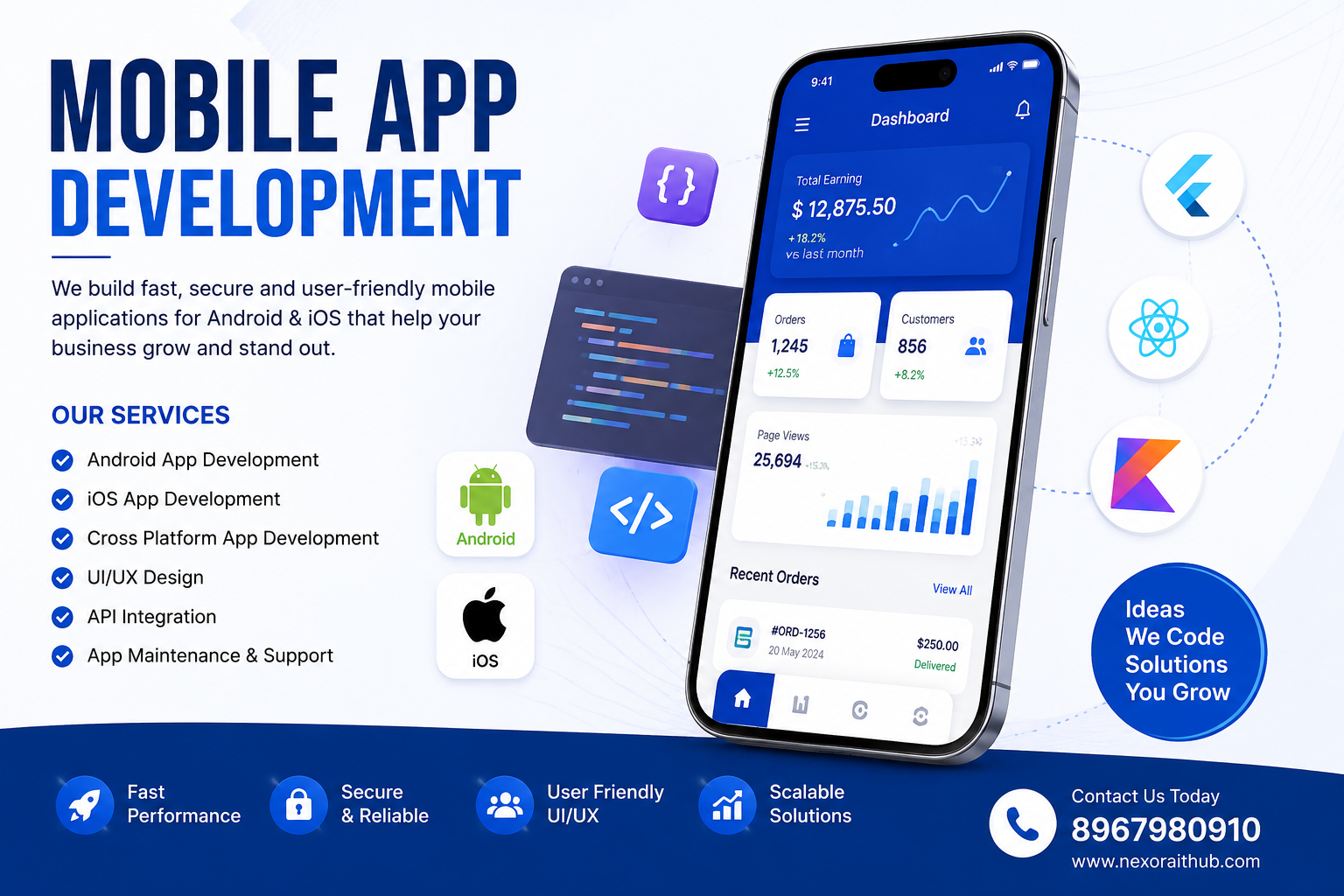
Mobile App Development
Mobile App Development
Mobile App Development is the process of designing, developing, testing, and deploying mobile applications for smartphones and tablets. A professionally developed mobile app can help businesses connect with customers, automate services, manage operations, increase engagement, and create new digital revenue opportunities.
At Nexora IT Hub, we provide customized Mobile App Development solutions designed around your business requirements. From customer-facing applications and ecommerce apps to business management apps, booking platforms, education apps, healthcare applications, delivery platforms, and enterprise solutions, mobile applications can be developed with customized features, professional UI/UX, secure backend systems, APIs, and scalable architecture.
A mobile application can be developed for Android, iOS, or both platforms, depending on your target audience and business objectives.
What is Mobile App Development?
Mobile App Development involves creating applications that run on mobile devices such as smartphones and tablets.
A complete mobile application project can include:
- UI/UX Design
- Android App Development
- iOS App Development
- Cross-Platform App Development
- Backend Development
- API Development
- Database Integration
- Payment Gateway Integration
- Push Notifications
- User Authentication
- Admin Panel
- Customer Dashboard
- Analytics
- Third-Party Integrations
- App Testing
- App Store Deployment
- Maintenance & Support
The features and technology stack can be customized according to the application's purpose and requirements.
Benefits of Mobile App Development
1. Direct Connection with Customers
A mobile application provides businesses with a direct digital channel for communicating with customers.
Customers can access:
- Products
- Services
- Offers
- Orders
- Bookings
- Payments
- Support
- Notifications
from their mobile devices.
2. Better Customer Engagement
Mobile apps can provide a more personalized experience than a traditional website.
Businesses can use app features such as:
- Push notifications
- Personalized offers
- User profiles
- Loyalty programs
- Order updates
- Recommendations
- In-app communication
to improve customer engagement.
3. Convenient Access to Services
A mobile app allows customers to access business services without repeatedly visiting a website.
For example:
Open App → Select Service → Submit Request → Make Payment → Receive Confirmation
This can make the customer journey simpler and more convenient.
4. Build a Strong Digital Brand
A professional mobile application can strengthen a company's digital presence.
A branded app can provide:
- Custom logo
- Brand colors
- Professional interface
- Customized navigation
- Branded notifications
- Consistent customer experience
5. Improve Business Efficiency
Mobile applications are not only useful for customers. They can also help employees and management.
Internal apps can be used for:
- Task management
- Attendance
- Sales
- Inventory
- Customer management
- Field operations
- Delivery management
- Reporting
This can reduce manual processes and improve operational efficiency.
6. Real-Time Notifications
Mobile applications can send push notifications for important events.
Examples include:
- New offers
- Order confirmation
- Payment confirmation
- Delivery updates
- Appointment reminders
- Account notifications
- Promotional campaigns
Notification functionality depends on the platform and configured notification service.
7. Increase Sales Opportunities
An ecommerce or service-based mobile application can create an additional sales channel.
Customers can:
- Browse products
- Compare products
- Add items to cart
- Place orders
- Make payments
- Track delivery
A well-designed checkout experience can help reduce friction during purchasing.
8. Data-Driven Business Decisions
Mobile applications can collect relevant business data with appropriate user consent and privacy controls.
Analytics can help businesses understand:
- User activity
- Product interest
- Orders
- Engagement
- Conversion trends
- Customer behavior
This information can support better business decisions.
Mobile App Development Features
1. Professional UI/UX Design
A professional mobile application starts with a well-designed user interface and user experience.
The design can include:
- Clean navigation
- Modern layouts
- Consistent typography
- Brand identity
- Intuitive buttons
- User-friendly forms
- Responsive screen layouts
- Accessibility considerations
The goal is to make the application easy to understand and use.
2. Android App Development
Android applications can be developed for businesses targeting Android users.
Features can include:
- User login
- Dashboard
- Products
- Orders
- Payments
- Notifications
- Profile
- Support
The app can communicate with a secure backend through APIs.
3. iOS App Development
iOS applications can be developed for businesses targeting Apple devices.
An iOS application can provide similar functionality while following Apple's platform design and technical requirements.
4. Cross-Platform App Development
Businesses that want to target Android and iOS can consider cross-platform development.
Depending on project requirements, a shared codebase can help reduce duplicated development work while maintaining platform-specific functionality where necessary.
The ideal technology depends on:
- App complexity
- Performance requirements
- Device features
- Budget
- Maintenance requirements
- Development timeline
User & Account Features
5. User Registration & Login
Applications can provide secure account creation and login functionality.
Possible options include:
- Mobile number
- Password
- OTP
- Social login
- Two-factor authentication
The appropriate authentication method depends on the application's requirements.
6. User Profile
Customers can manage their profiles from the application.
Profile functionality may include:
- Name
- Phone
- Profile image
- Address
- Preferences
- Account settings
7. Role-Based User Management
Applications with multiple user types can provide separate access levels.
For example:
Admin → Manager → Employee → Customer
or:
Admin → Vendor → Customer
Each role can access only the features relevant to its responsibilities.
8. Customer Dashboard
A customer dashboard can provide access to:
- Orders
- Bookings
- Payments
- Profile
- Notifications
- Wishlist
- Support
- Documents
Ecommerce Mobile App Features
9. Product Management
Ecommerce applications can display:
- Product images
- Product names
- Prices
- Discounts
- Specifications
- Variants
- Availability
- Reviews
Product information can be managed from an admin panel.
10. Search & Filters
Customers can quickly find products using:
- Keyword search
- Category
- Brand
- Price
- Size
- Color
- Rating
- Availability
The available filters depend on the product catalog.
11. Shopping Cart
Customers can add multiple products to their cart.
Cart functionality can include:
- Add product
- Remove product
- Update quantity
- Apply coupon
- Calculate total
- Select shipping option
12. Wishlist
Customers can save products for later.
Wishlist functionality can include:
- Add to wishlist
- Remove from wishlist
- View saved products
- Move product to cart
13. Checkout
A simple mobile checkout process can include:
Cart → Address → Shipping → Payment → Order Confirmation
The workflow can be customized according to the business.
14. Payment Gateway Integration
Mobile apps can integrate with supported payment providers.
Possible payment methods can include:
- UPI
- Credit Card
- Debit Card
- Net Banking
- Wallets
- Other supported methods
Payment processing should be handled through appropriate payment providers and secure integration methods.
Business & Service App Features
15. Booking & Appointment System
Mobile apps can support appointment-based businesses.
Customers can:
- Select a service
- Choose a date
- Select a time
- Make payment where applicable
- Receive confirmation
- Cancel or reschedule according to policy
Suitable for:
- Clinics
- Salons
- Consultants
- Hotels
- Service providers
- Training centers
16. Online Service Requests
Customers can submit service requests directly through the application.
For example:
Select Service → Add Details → Upload Documents → Submit Request → Track Status
17. Order Management
Businesses can manage customer orders through an integrated backend.
Order statuses can include:
- New
- Confirmed
- Processing
- Packed
- Shipped
- Delivered
- Cancelled
- Returned
18. Delivery Tracking
Delivery-based applications can provide order tracking functionality.
Depending on the implementation, customers can view:
- Order status
- Delivery status
- Assigned delivery person
- Estimated delivery information
- Tracking details
Real-time location tracking requires appropriate mapping and location services.
Communication Features
19. Push Notifications
Push notifications can be used for:
- Orders
- Payments
- Offers
- Announcements
- Reminders
- Account updates
Notifications can be targeted according to user segments and permissions.
20. SMS & Email Integration
Mobile apps can integrate with SMS and email services.
Examples include:
- OTP
- Account verification
- Order confirmation
- Password reset
- Appointment reminder
- Payment notification
21. In-App Notifications
An in-app notification center can keep important messages available inside the application.
Users can view:
- New notifications
- Previous notifications
- System messages
- Promotional messages
22. Chat & Support
A customer support module can allow users to communicate with the business.
Possible features include:
- Support tickets
- Live chat
- FAQ
- Complaint submission
- File attachments
- Ticket status
Advanced Mobile App Features
23. GPS & Location Services
Location functionality can be used for applications that require geographic services.
Examples:
- Delivery
- Logistics
- Cab booking
- Service tracking
- Nearby stores
- Location-based offers
Location access should be requested only when required and handled according to applicable privacy requirements.
24. Maps Integration
Map services can be integrated for:
- Address selection
- Store locations
- Delivery tracking
- Route information
- Service coverage
The selected mapping provider determines available functionality and usage limits.
25. Camera Integration
Apps can use device cameras for features such as:
- Profile image
- Document upload
- Barcode scanning
- QR scanning
- Product images
Camera permissions should be requested appropriately.
26. QR Code & Barcode Scanner
QR and barcode functionality can be useful for:
- Payments
- Product identification
- Inventory
- Ticket verification
- Event entry
- Order verification
27. File Upload & Document Management
Users can upload documents such as:
- Identity documents
- Business documents
- Medical documents
- Certificates
- Invoices
- Images
Access controls and secure storage should be implemented for sensitive files.
28. Loyalty & Rewards
Businesses can implement customer loyalty programs.
Features can include:
- Loyalty points
- Rewards
- Membership levels
- Coupons
- Referral rewards
- Reward redemption
29. Subscription Management
Apps offering recurring services can include:
- Subscription plans
- Trial periods
- Renewal
- Billing cycles
- Subscription status
- Plan upgrades
- Plan cancellation
Payment functionality should use appropriate subscription/payment providers.
30. Referral System
A referral module can allow customers to invite new users.
Possible features include:
- Referral code
- Referral link
- Referral tracking
- Reward calculation
- Referral history
Reward rules can be customized according to the business model and applicable regulations.
Admin Panel for Mobile Applications
31. Professional Admin Dashboard
A centralized web-based admin panel can manage the mobile application.
Administrators can manage:
- Users
- Products
- Orders
- Payments
- Content
- Notifications
- Reports
- Settings
32. Content Management
Administrators can update app content without requiring a new app release for every content change.
Content may include:
- Banners
- Offers
- FAQs
- Categories
- Announcements
- Promotional content
33. User Management
Admins can:
- View users
- Edit user information
- Activate/deactivate accounts
- Manage roles
- View activity
- Handle support requests
34. Analytics & Reports
The admin panel can provide reports such as:
- User registrations
- Active users
- Orders
- Revenue
- Product performance
- App engagement
- Customer activity
Analytics can be customized according to business requirements.
Security Features
35. Secure Authentication
Applications can use secure authentication methods including:
- Password authentication
- OTP
- Token-based authentication
- Two-factor authentication where appropriate
36. API Security
Mobile applications typically communicate with backend servers through APIs.
Security measures can include:
- Authentication
- Authorization
- HTTPS
- Token validation
- Input validation
- Rate limiting
- Secure API design
37. Data Protection
Business and customer data should be protected through appropriate measures such as:
- Encryption where appropriate
- Access control
- Secure database configuration
- Backup
- Activity logs
- Secure file storage
Sensitive information should only be collected and stored when necessary.
Mobile App Development Process
Step 1 – Requirement Analysis
The development team identifies:
- Business goals
- Target users
- Required features
- User roles
- Integrations
- Platform requirements
- Budget and timeline
Step 2 – UI/UX Planning
User journeys, wireframes, screen layouts, and navigation are planned.
Step 3 – UI/UX Design
The visual design is created around the brand identity and user requirements.
Step 4 – Backend Development
The backend handles:
- Database
- APIs
- Authentication
- Business logic
- Notifications
- Integrations
Step 5 – Mobile App Development
The application is developed for the selected platform or platforms.
Step 6 – API Integration
The mobile application is connected with the backend and required third-party services.
Step 7 – Testing & Quality Assurance
Testing can cover:
- Functionality
- UI/UX
- Performance
- Security
- Device compatibility
- API integration
- Network conditions
Step 8 – Deployment
After testing and approval, the application can be prepared for the relevant app stores and production environment.
Step 9 – Maintenance & Support
Post-launch support can include:
- Bug fixing
- Security updates
- Performance improvements
- OS compatibility updates
- Feature enhancements
Mobile Apps for Different Industries
Nexora IT Hub can develop customized mobile applications for:
Ecommerce
Online shopping and product-selling apps.
Education
School, college, course, learning, and student applications.
Healthcare
Clinic, hospital, appointment, pharmacy, and patient-support apps.
Hospitality
Hotel booking, restaurant ordering, and service applications.
Finance & Business
Business management, payment-related workflows, accounting, CRM, and enterprise apps.
Real Estate
Property listing, agent, lead, and customer applications.
Logistics
Delivery, tracking, fleet, and transportation applications.
Retail
POS-connected, loyalty, shopping, and inventory applications.
Service Businesses
Booking, appointment, quotation, service-request, and customer-support apps.
Why Choose Nexora IT Hub?
Customized Development
Build an application according to your business model instead of using a generic template.
Professional UI/UX
Create a modern and user-friendly mobile experience.
Android & iOS
Develop for Android, iOS, or both depending on your target audience.
Secure Backend
Connect your app with a secure backend, database, and API architecture.
Scalable Solutions
Design the application with future growth and additional functionality in mind.
Third-Party Integrations
Integrate supported payment, SMS, email, maps, shipping, analytics, and other APIs.
Admin Panel
Manage your application through a centralized web-based backend.
Ongoing Support
Receive technical maintenance and feature enhancement support after launch.
Key Benefits of Mobile App Development
A professionally developed mobile app can help businesses:
- Reach customers directly
- Improve customer engagement
- Automate services
- Increase convenience
- Strengthen brand identity
- Generate additional sales opportunities
- Send real-time notifications
- Manage business operations
- Collect useful analytics
- Improve customer support
- Build loyalty programs
- Integrate digital payments
- Expand digital services
Frequently Asked Questions
What is Mobile App Development?
Mobile App Development is the process of designing, developing, testing, and deploying applications for smartphones and tablets.
Can you develop both Android and iOS apps?
Yes. Applications can be developed for Android, iOS, or both platforms depending on project requirements.
Can a mobile app have an admin panel?
Yes. A web-based admin panel can be developed to manage users, content, orders, products, notifications, reports, and other application data.
Can payment gateways be integrated?
Yes. Supported payment gateways can be integrated using secure APIs.
Can I add features later?
Yes. A scalable application architecture can allow additional features and modules to be added in future development phases.
Can you develop an ecommerce mobile app?
Yes. Ecommerce apps can include products, categories, search, cart, wishlist, checkout, payments, orders, shipping, reviews, and customer accounts.
Can mobile apps send notifications?
Yes. Push notifications can be implemented for supported devices and notification services.
Can the app use GPS?
Yes. Location and mapping functionality can be integrated for applications such as delivery, booking, logistics, and location-based services.
Can the mobile app connect to existing software?
Yes. APIs can connect the mobile application with compatible CRM, ERP, ecommerce, POS, or other business systems.
Build Your Mobile App with Nexora IT Hub
A professionally developed mobile application can become an important part of a modern business's digital ecosystem.
Whether you want to build an Ecommerce App, Business Management App, Booking App, Education App, Healthcare App, Restaurant App, Delivery App, Customer Portal, SaaS App, or Enterprise Mobile Application, Nexora IT Hub can create a customized solution around your requirements.
With Professional UI/UX Design, Android & iOS Development, Backend Development, API Integration, Payment Integration, Push Notifications, Admin Panel, Security, Testing, Deployment, and Ongoing Support, businesses can build mobile applications designed for long-term digital growth.
Start Your Mobile App Project with Nexora IT Hub
Professional. Customized. Scalable. User-Friendly.
Nexora IT Hub
📞 8967980910
🌐 www.nexoraithub.com