

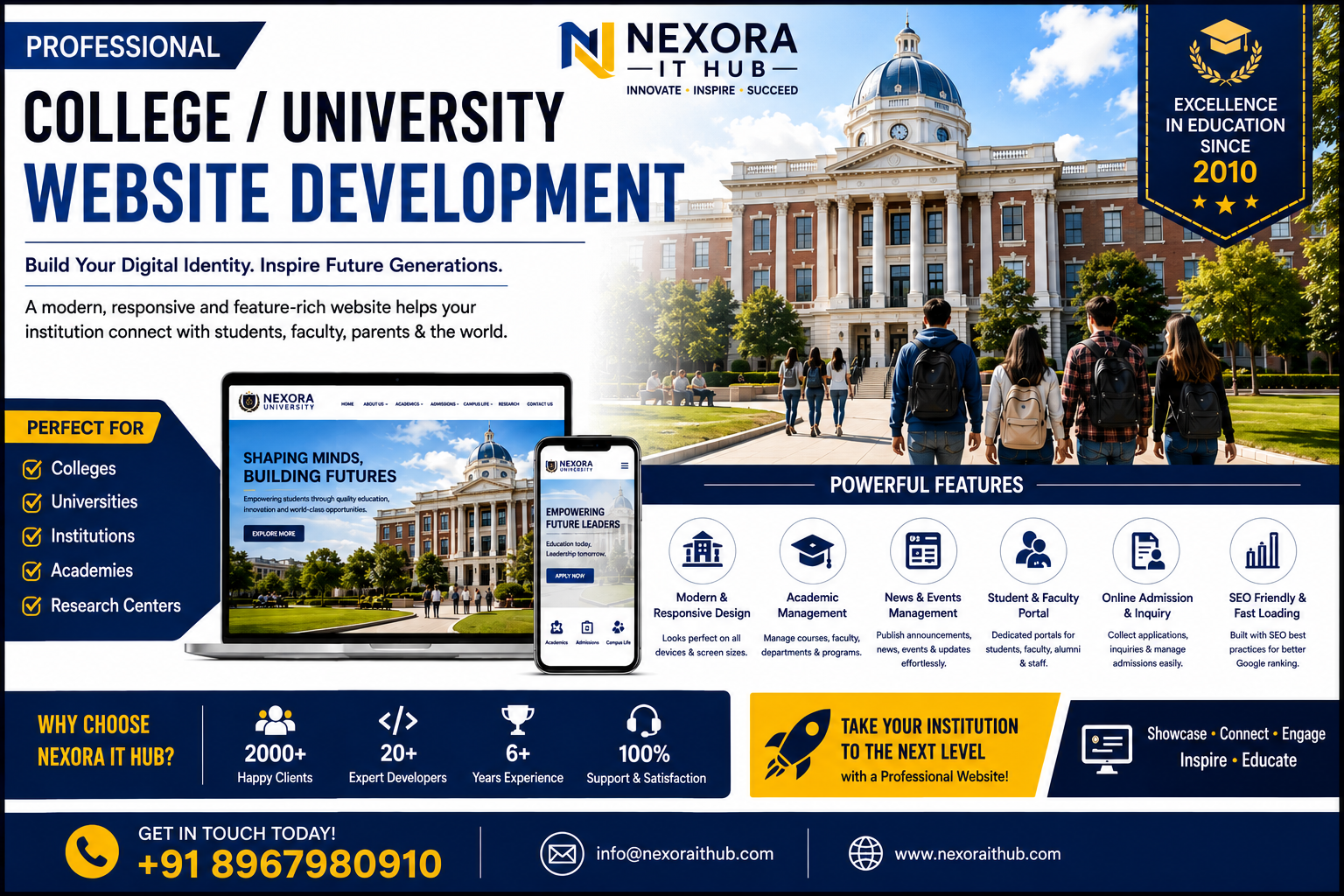
College / University Website
College & University Website Development
In today’s digital education environment, a professional online presence is essential for every College, University, Educational Institution, Academy, and Higher Education Organization. Students, parents, researchers, faculty members, alumni, and prospective applicants increasingly search online for information about courses, admissions, departments, faculty, campus facilities, examinations, events, research programs, placements, and institutional achievements.
A professionally designed College / University Website provides a centralized digital platform where all important academic and institutional information can be presented in a clear, organized, and accessible way.
At Nexora IT Hub, we develop modern, responsive, secure, fast-loading, user-friendly, and SEO-friendly College & University Websites designed around the specific requirements of higher education institutions.
Whether you need a website for a College, University, Degree College, Engineering College, Medical College, Management Institute, Polytechnic College, Research Institute, Private University, Government Institution, Autonomous College, or Educational Academy, we can create a customized digital solution with the features your institution needs.
What Is a College / University Website?
A College or University Website is the official online platform of an educational institution. It provides students, parents, faculty, researchers, alumni, and visitors with important information about the institution and its academic activities.
A professional website can include:
- About the Institution
- Principal / Chancellor / Vice-Chancellor Message
- Academic Programs
- Departments
- Courses
- Admissions
- Faculty & Staff
- Campus Facilities
- Research & Development
- Examination Information
- Results
- Notices
- Events
- News & Announcements
- Student Services
- Placement Information
- Alumni
- Photo & Video Gallery
- Downloads
- Contact Information
Advanced websites can also include Student Portals, Faculty Portals, Online Admission Systems, Online Application Forms, Result Management, Fee Payment, Learning Resources, Research Management, and Administrative Modules.
Why Does a College or University Need a Professional Website?
A higher education institution's website is often the first place prospective students visit before making an admission decision.
A professional website can help your institution:
Build a Strong Digital Identity
Present your institution, academic programs, achievements, faculty, infrastructure, and vision professionally.
Attract Prospective Students
Provide detailed course and admission information to students searching for higher education opportunities.
Improve Communication
Publish notices, academic schedules, examination information, events, and announcements from one central platform.
Showcase Academic Excellence
Highlight research, publications, faculty achievements, student accomplishments, awards, and institutional milestones.
Increase Admission Enquiries
Online admission information and enquiry forms can make it easier for prospective students to connect with the institution.
Support Students and Faculty
A website can provide access to academic resources, portals, schedules, notices, results, and other services.
Key Features of College / University Websites
1. Modern Professional Design
We create a professional interface that reflects the institution's academic reputation and brand identity.
The design can include:
- University / college logo
- Institutional colors
- Professional typography
- Campus photography
- Hero banners
- Academic sections
- Admission call-to-actions
- News and events
- Important announcements
- Contact information
The design can be customized according to the institution's requirements.
2. Fully Responsive Website
Students and parents access educational websites from smartphones, tablets, laptops, and desktop computers.
Our responsive websites are designed to adapt to different screen sizes and provide a convenient browsing experience across devices.
A mobile-friendly website also provides a better foundation for search visibility and user experience.
3. Professional Homepage
The homepage creates the first impression of your institution.
It can showcase:
- Institution name
- Logo
- Campus image
- Admission announcements
- Important notices
- Courses
- Departments
- Principal / Chancellor message
- Latest news
- Events
- Achievements
- Research
- Facilities
- Student services
- Contact details
Important information can be highlighted so visitors can find it quickly.
4. About College / University
The About section provides a detailed introduction to the institution.
It may include:
- History
- Vision
- Mission
- Objectives
- Institutional values
- Accreditation information
- Affiliations
- Achievements
- Campus information
- Leadership
- Academic philosophy
A well-organized About page helps prospective students and visitors understand the institution.
5. Principal / Chancellor / Vice-Chancellor Message
A dedicated leadership message section can introduce the institution's vision and educational objectives.
It can include:
- Photograph
- Name
- Designation
- Welcome message
- Vision for students
- Institutional goals
This provides a more personal and professional connection with students and visitors.
6. Courses & Programs
Present academic programs in an organized structure.
Courses can be categorized by:
- Undergraduate
- Postgraduate
- Diploma
- Certificate
- Doctoral
- Professional courses
- Short-term programs
Each course page can include:
- Course name
- Duration
- Eligibility
- Subjects
- Admission requirements
- Course structure
- Career opportunities
- Fee information
- Application details
7. Department Pages
Each academic department can have its own dedicated page.
Examples include:
- Computer Science
- Mathematics
- Physics
- Chemistry
- Commerce
- Management
- English
- Economics
- Engineering
- Law
- Medical Sciences
Department pages can include faculty information, courses, research, achievements, facilities, and contact details.
8. Online Admission System
Online admission functionality can simplify the application process.
Depending on the requirements, students can:
- Select a course
- Read eligibility criteria
- Complete an application form
- Upload required documents
- Submit the application
- Receive an application reference
- Track application status
An online admission system can significantly improve the convenience of the admission process.
9. Admission Enquiry Form
For institutions that do not require a complete online admission system, an admission enquiry form can be used.
It may collect:
- Student name
- Phone number
- Course
- Qualification
- Preferred program
- Message
These enquiries can be managed through an administrative system depending on the implementation.
10. Faculty & Staff Directory
Showcase professors, lecturers, researchers, administrative staff, and other team members.
Faculty profiles can include:
- Name
- Designation
- Department
- Qualification
- Specialization
- Experience
- Research interests
- Publications
- Profile
A detailed faculty directory also helps students identify the appropriate academic contact.
11. Research & Development Section
Universities and colleges can showcase their research activities through dedicated pages.
The section may include:
- Research projects
- Publications
- Research centers
- Faculty research
- Laboratories
- Conferences
- Patents
- Grants
- Collaborations
- Research achievements
This can strengthen the institution's academic and research profile.
12. Student Portal
A secure student portal can provide personalized services.
Possible modules include:
- Student profile
- Attendance
- Examination information
- Results
- Academic calendar
- Timetable
- Notices
- Assignments
- Study materials
- Fee information
Students can access relevant information using their authorized credentials.
13. Faculty Portal
A faculty portal can provide teachers and academic staff with secure access to required functions.
Depending on the system, faculty may be able to manage:
- Attendance
- Marks
- Assignments
- Notices
- Student information
- Course information
- Academic schedules
Role-based access can restrict users to the functions relevant to their responsibilities.
14. Online Examination & Result System
A college or university website can integrate examination and result management functionality.
Students may access results using information such as:
- Roll number
- Registration number
- Student ID
- Examination details
The result system can display relevant academic information securely.
15. Online Fee Payment
Institutions can optionally integrate an online payment system.
Depending on the selected payment gateway and institutional requirements, students may be able to pay:
- Tuition fees
- Examination fees
- Admission fees
- Hostel fees
- Library fees
- Other applicable charges
Payment records and receipts can be managed according to the system design.
16. Notice Board
A digital notice board keeps students and faculty informed about important announcements.
Notices may include:
- Admission announcements
- Examination notices
- Holiday notices
- Academic schedules
- Scholarship announcements
- Recruitment notices
- Event announcements
- Department notices
The latest notices can be displayed on the homepage.
17. News & Events
Keep visitors updated about institutional activities.
News and events may include:
- Seminars
- Workshops
- Conferences
- Cultural programs
- Sports events
- Guest lectures
- Orientation programs
- Academic achievements
- Student activities
Each event can have its own page with date, description, images, and other information.
18. Campus Facilities
Showcase the infrastructure and facilities available to students.
Examples include:
- Smart classrooms
- Computer laboratories
- Science laboratories
- Central library
- Digital library
- Auditorium
- Sports facilities
- Hostel
- Cafeteria
- Transportation
- Research facilities
- Medical facilities
High-quality photographs can make this section more engaging.
19. Placement & Career Section
A dedicated placement section can showcase career opportunities and placement activities.
It may include:
- Placement cell
- Recruitment drives
- Company visits
- Placement statistics
- Career guidance
- Internship opportunities
- Training programs
- Recruiter information
- Student achievements
This section can be especially valuable for prospective students comparing institutions.
20. Scholarship Information
Provide students with information about available scholarships and financial assistance.
The page can include:
- Scholarship name
- Eligibility
- Application procedure
- Important dates
- Required documents
- Official guidelines
21. Alumni Section
A dedicated alumni section can help maintain connections with former students.
It can include:
- Alumni registration
- Alumni achievements
- Alumni events
- Success stories
- Alumni association information
- Alumni activities
This can strengthen the institution's community and professional network.
22. Photo Gallery
A professional gallery can showcase:
- Campus
- Classrooms
- Laboratories
- Library
- Events
- Seminars
- Sports
- Cultural programs
- Convocation
- Student activities
Gallery categories can make large collections easier to navigate.
23. Video Gallery
Video content can provide a more engaging representation of campus life.
Possible videos include:
- Campus tour
- Institution introduction
- Convocation
- Annual events
- Student activities
- Seminars
- Faculty interviews
- Academic programs
24. Download Center
Create a centralized location for important documents.
Students can download:
- Prospectus
- Admission forms
- Academic calendar
- Examination schedules
- Syllabus
- Notices
- Circulars
- Application forms
- Rules and regulations
- Scholarship documents
25. Academic Calendar
An online academic calendar can display:
- Semester dates
- Examination dates
- Holidays
- Admission dates
- Registration deadlines
- Events
- Workshops
- Seminars
This helps students and faculty stay informed about important dates.
26. Timetable Management
The website can provide access to:
- Class timetable
- Examination timetable
- Department schedules
- Faculty schedules
- Room information
A searchable or categorized timetable can make information easier to access.
27. Library Section
A dedicated library page can provide information about:
- Library facilities
- Digital resources
- Opening hours
- Rules
- Book collections
- Journals
- E-learning resources
- Library contact details
An advanced system can integrate online library management functionality.
28. Student Support Section
Create a centralized information area for student services.
It can include:
- Student welfare
- Career guidance
- Counselling information
- Scholarships
- Hostel information
- Transportation
- Clubs
- Student organizations
- Support contacts
29. SEO-Friendly College Website
Search engine optimization is important for institutions that want prospective students to discover them online.
SEO-friendly development can include:
- Search-friendly URLs
- Meta titles
- Meta descriptions
- Proper heading structure
- Image alt text
- Internal linking
- XML sitemap
- Mobile-friendly design
- Structured data where appropriate
- Search-friendly content
- Optimized page architecture
SEO does not guarantee a specific search ranking, but these practices create a strong technical foundation.
30. Local SEO for Colleges & Universities
Educational institutions often attract students from specific regions.
Local SEO can support searches such as:
- College near me
- University in [location]
- Best college in [location]
- Engineering college in [location]
- Management college in [location]
- Degree college in [location]
Accurate institutional information should be maintained across relevant online profiles and directories.
31. Blog & Education News
A blog can help institutions publish useful educational content.
Topics can include:
- Admission guidance
- Career opportunities
- Academic updates
- Student achievements
- Research news
- Faculty achievements
- Campus activities
- Educational resources
- Industry trends
Consistent, high-quality content can support long-term organic visibility.
32. Contact & Enquiry System
The website should make it easy for prospective students and visitors to contact the institution.
The Contact page can include:
- Institution address
- Phone number
- Office hours
- Admission contact
- Department contacts
- Contact form
- Map
- Social media links
33. WhatsApp & Communication Integration
Where appropriate, a WhatsApp contact option can make admission enquiries more convenient.
Students can quickly contact the institution for general questions or enquiry-related communication.
34. Social Media Integration
Connect official social media channels to the website.
Possible platforms include:
- YouTube
This allows students and visitors to explore additional institutional updates.
35. Website Security
Security is particularly important when websites handle student, faculty, admission, and payment information.
Security-conscious implementation may include:
- HTTPS/SSL
- Secure login
- Role-based permissions
- Input validation
- Secure password handling
- Database security
- Regular backups
- Software updates
- Access controls
Sensitive academic and personal information should only be accessible to authorized users.
36. Admin Dashboard
An administrative dashboard can allow authorized staff to manage website content.
Depending on the system, administrators can manage:
- Courses
- Departments
- Faculty
- Notices
- News
- Events
- Gallery
- Admissions
- Results
- Documents
- Student information
- Website pages
This makes it easier to keep institutional information updated.
37. Fast Loading & Performance
Website performance affects user experience.
Performance-focused development can include:
- Optimized images
- Efficient code
- Optimized CSS and JavaScript
- Caching where appropriate
- Responsive layouts
- Optimized content delivery
Actual performance depends on hosting, content volume, integrations, and implementation.
Benefits of a College / University Website
Strong Institutional Branding
Present your institution professionally to students, parents, faculty, researchers, and visitors.
More Admission Enquiries
Make course and admission information easily accessible to prospective students.
Better Communication
Publish notices, events, schedules, and announcements through one centralized platform.
Improved Student Experience
Give students convenient access to important academic information.
Showcase Achievements
Highlight academic, research, sports, cultural, and professional achievements.
Promote Courses
Present programs with detailed eligibility, duration, curriculum, and career information.
Improve Online Visibility
SEO-friendly pages can help your institution become more discoverable through search engines.
Support Digital Services
Integrate admissions, results, fees, portals, downloads, and other online services.
Build Trust
A modern and informative website can create a more professional institutional image.
College / University Website Development Process
1. Requirement Analysis
We understand your institution, departments, courses, audience, branding, content, and technical requirements.
2. Website Planning
We create the information architecture, page structure, navigation, and feature plan.
3. UI/UX Design
The interface is designed around your institutional identity and target audience.
4. Website Development
The approved design is converted into a functional and responsive website.
5. Content Integration
Academic information, faculty profiles, images, courses, notices, events, and other content are added.
6. Feature Integration
Required modules such as admission, results, portals, payments, galleries, and downloads are integrated.
7. SEO Setup
Technical and on-page SEO foundations are configured.
8. Testing
The website is tested across mobile, tablet, desktop, and major browsers.
Forms, links, navigation, portals, and other functionality are also checked.
9. Security & Performance Review
The website is reviewed for appropriate security practices and performance.
10. Launch
After final approval, the website is deployed to the institution's domain and hosting environment.
11. Maintenance & Support
Ongoing technical support, content updates, security maintenance, SEO improvements, and new features can be provided as required.
SEO Strategy for College & University Websites
A higher education SEO strategy should focus on the actual information students search for.
Course-Based SEO
Create dedicated pages for individual courses and programs.
Admission SEO
Optimize admission pages around relevant searches such as:
- Admission
- Application
- Eligibility
- Fees
- Courses
- Important dates
Department SEO
Each department can have its own search-friendly page.
Location SEO
Target relevant searches associated with the institution's location.
Research SEO
Research centers, faculty publications, projects, and academic achievements can create valuable search content.
Event SEO
Individual event pages can generate additional opportunities for organic visibility.
Educational Blog SEO
Publish helpful educational content that answers questions prospective students commonly search for.
Why Choose Nexora IT Hub?
At Nexora IT Hub, we create professional digital solutions for organizations that want a strong and scalable online presence.
Professional UI/UX
Modern and institution-focused website design.
Responsive Development
Designed for smartphones, tablets, laptops, and desktops.
SEO-Friendly Architecture
Technical foundations designed to support long-term SEO efforts.
Custom Features
Build only the modules your institution actually requires.
Scalable Platform
Start with a professional website and add portals and management features as your institution grows.
Secure Development
Security-conscious development for administrative systems and sensitive information.
Easy Content Management
Authorized administrators can manage website information through an admin panel where required.
Ongoing Support
Technical support and future improvements can be provided according to your requirements.
Build Your College or University Website Today
A professional College / University Website is more than an online information page. It can become a complete digital platform connecting your institution with students, parents, faculty members, researchers, alumni, and prospective applicants.
From course information and admissions to faculty profiles, research, events, notices, results, placements, student portals, and online services, a professionally developed website can bring your institution's digital presence together in one centralized platform.
At Nexora IT Hub, we develop modern, responsive, secure, fast-loading, user-friendly, and SEO-friendly College & University Websites customized to the requirements of higher education institutions.
Whether you are launching a new educational website or upgrading an existing platform, our goal is to create a digital experience that presents your institution professionally and makes important information easier to access.
Showcase Your Institution. Connect With Students. Build Your Digital Future.
Professional Design • Responsive • SEO-Friendly • Secure • Fast • Scalable • Easy to Manage
Build Your College / University Website with Nexora IT Hub.