

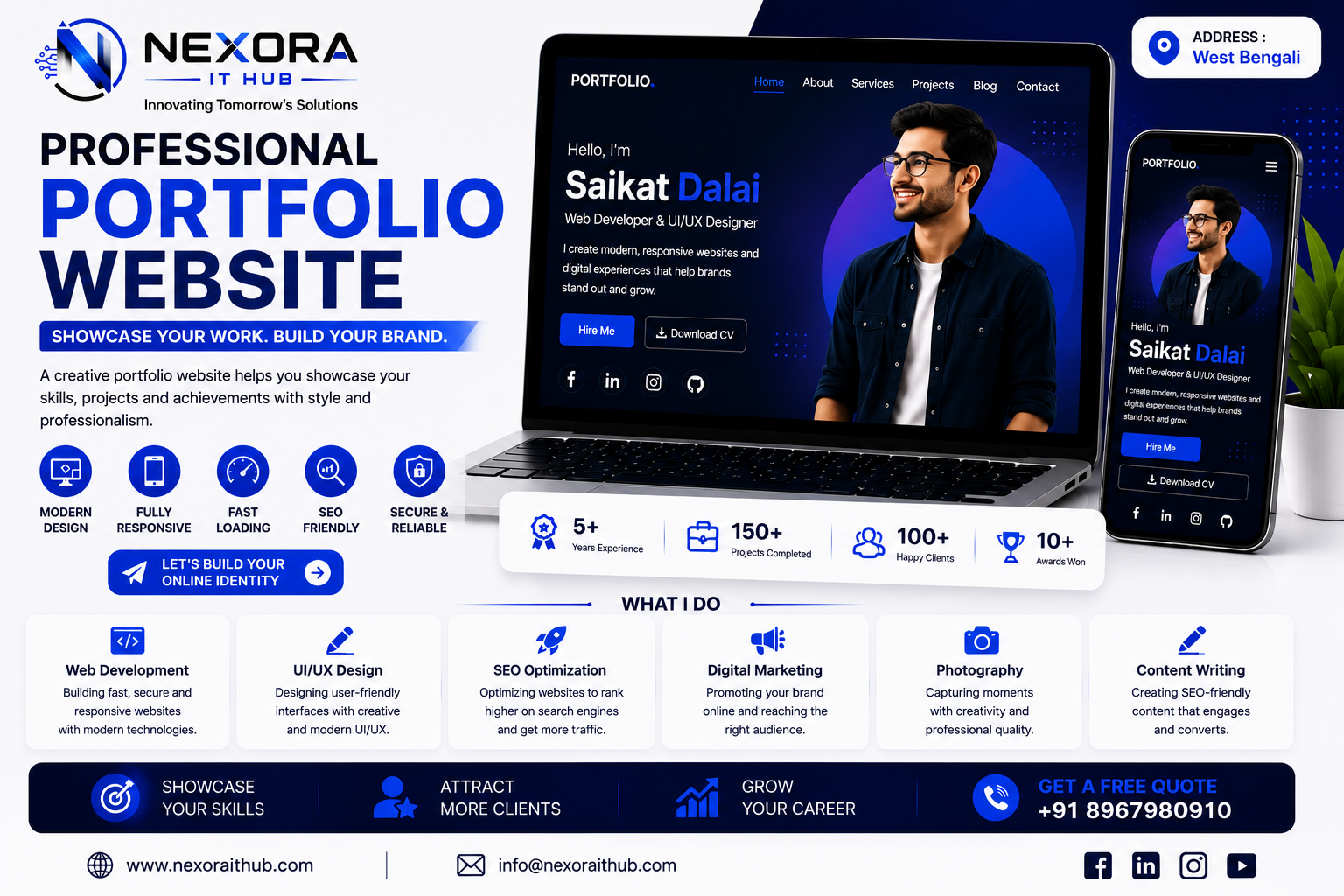
Portfolio Website
Portfolio Website Development
In today’s digital world, your online presence can be one of the most powerful ways to showcase your skills, experience, projects, achievements, and professional identity. A professionally designed Portfolio Website gives individuals, freelancers, developers, designers, photographers, artists, consultants, creators, and professionals a dedicated platform to present their work and connect with potential clients, employers, and business opportunities.
At Nexora IT Hub, we develop modern, responsive, fast-loading, secure, and SEO-friendly Portfolio Websites designed to highlight your unique skills, professional journey, services, projects, and achievements.
Whether you are a Web Developer, Software Developer, UI/UX Designer, Graphic Designer, Digital Marketer, Photographer, Freelancer, Content Creator, Video Editor, Architect, Consultant, Student, or Creative Professional, we can create a customized portfolio website according to your personal brand and professional goals.
A well-designed portfolio website is more than an online CV. It can work as your 24/7 professional identity, personal brand platform, project showcase, lead-generation tool, and digital business card.
What Is a Portfolio Website?
A Portfolio Website is a personal or professional website designed to showcase your work, skills, experience, services, projects, achievements, qualifications, and professional identity online.
Unlike a traditional resume that provides limited information, a portfolio website can present your work visually and interactively.
A professional portfolio may include:
- About Me
- Professional Profile
- Skills
- Services
- Projects
- Work Experience
- Education
- Certifications
- Achievements
- Testimonials
- Resume / CV
- Blog
- Contact Form
- Social Media Profiles
- Portfolio Gallery
This allows visitors to understand your expertise and experience before contacting you.
Why Do You Need a Professional Portfolio Website?
A professional portfolio website can help establish credibility and make it easier for people to discover your work online.
Build Your Personal Brand
Create a professional digital identity around your skills, expertise, and achievements.
Showcase Your Work
Display your best projects, designs, campaigns, websites, applications, photographs, videos, or creative work.
Attract Potential Clients
A strong portfolio can demonstrate your capabilities to prospective customers before they contact you.
Improve Professional Credibility
A dedicated website can provide a more complete professional presentation than a simple social media profile.
Get More Opportunities
Your portfolio can help you attract:
- Freelance projects
- Job opportunities
- Business partnerships
- Consulting opportunities
- Client inquiries
- Collaboration opportunities
Be Available 24/7
Your portfolio remains accessible whenever someone wants to learn about your professional background.
Key Features of Our Portfolio Websites
1. Modern Professional Design
We create visually appealing portfolio websites that represent your professional identity.
The design can be customized according to your:
- Profession
- Personal brand
- Logo
- Brand colors
- Industry
- Target audience
- Design preferences
Whether you prefer a minimal corporate layout, creative portfolio, dark modern interface, or premium personal-brand website, the design can be tailored to your requirements.
2. Fully Responsive Design
Your portfolio website should look professional on every device.
We create responsive layouts for:
- Smartphones
- Tablets
- Laptops
- Desktop computers
Visitors can comfortably browse your portfolio regardless of the device they use.
3. Professional Homepage
The homepage creates the first impression of your professional identity.
A portfolio homepage can include:
- Profile image
- Name
- Professional title
- Short introduction
- Key skills
- Primary services
- Featured projects
- Call-to-action buttons
- Social links
- Contact options
For example:
Hello, I'm [Name]
Web Developer & Digital Solutions Specialist
Then visitors can immediately explore your work and services.
4. About Me Section
The About section gives visitors more information about your professional journey.
It can include:
- Professional introduction
- Experience
- Education
- Skills
- Career journey
- Professional interests
- Personal brand statement
- Career objectives
A well-written About section helps create a stronger connection with visitors.
5. Skills & Expertise
Showcase your professional skills in an organized format.
Depending on your profession, skills may include:
- HTML
- CSS
- JavaScript
- PHP
- Laravel
- MySQL
- React
- UI/UX Design
- Graphic Design
- SEO
- Digital Marketing
- Video Editing
- Photography
- Content Writing
Skill levels can also be presented through progress indicators, cards, icons, or charts where appropriate.
6. Project Showcase
The project section is one of the most important parts of a portfolio website.
You can showcase:
- Completed projects
- Client projects
- Personal projects
- Academic projects
- Case studies
- Design concepts
- Applications
- Websites
- Marketing campaigns
- Creative work
Each project can have:
- Project title
- Project image
- Description
- Technologies used
- Client information where appropriate
- Project category
- Live demo
- Case study
- Source code link where applicable
7. Portfolio Gallery
For visual professionals, a portfolio gallery can provide a powerful way to display work.
Suitable for:
- Photographers
- Graphic designers
- Architects
- Interior designers
- Artists
- UI/UX designers
- Fashion designers
- Video creators
Gallery layouts can be customized according to the type and quantity of content.
8. Services Section
If you provide professional services, your portfolio website can clearly explain what you offer.
For example:
Web Development
Professional websites and web applications.
UI/UX Design
User-friendly interfaces and digital experiences.
SEO
Search engine optimization and organic growth strategies.
Digital Marketing
Online marketing solutions for businesses.
Graphic Design
Professional visual branding and creative design.
Clear service descriptions help visitors understand how you can help them.
9. Resume / CV Download
A downloadable CV or resume can be added to your portfolio.
Visitors can view or download your professional resume for:
- Job applications
- Freelance opportunities
- Business proposals
- Recruitment
- Professional networking
A Download CV button can be prominently displayed on the homepage.
10. Work Experience
Show your professional journey using a timeline or structured experience section.
Each experience entry can include:
- Company name
- Job title
- Employment period
- Responsibilities
- Major achievements
- Technologies or skills used
This gives employers and clients a better understanding of your background.
11. Education & Certifications
Display your academic qualifications and professional certifications.
You can showcase:
- Degree
- Diploma
- Training
- Professional certifications
- Courses
- Workshops
- Awards
Certificate images or verification links can also be included where appropriate.
12. Testimonials
Client or employer testimonials can help build trust.
A testimonial section may include:
- Client name
- Company
- Profile image where permitted
- Review
- Project type
- Rating
Authentic testimonials can provide social proof of your professional capabilities.
13. Contact Form
Make it easy for visitors to contact you.
A professional contact form can collect:
- Name
- Phone
- Subject
- Project requirements
- Message
This can help turn portfolio visitors into potential leads.
14. WhatsApp Integration
For professionals who receive inquiries through WhatsApp, a WhatsApp contact button can be added.
Visitors can quickly:
Chat Now → Ask a Question → Discuss a Project
This provides a convenient communication channel.
15. Social Media Integration
Your portfolio can connect to your professional social profiles.
Possible platforms include:
- YouTube
- GitHub
- X
- Behance
- Dribbble
This allows visitors to explore more of your professional work and online presence.
16. Blog Section
A blog can help demonstrate your knowledge and expertise.
You can publish:
- Tutorials
- Industry insights
- Project case studies
- Professional tips
- Technical articles
- Design articles
- Marketing guides
- Career advice
- Personal experiences
Blog content can also support long-term SEO growth.
17. Case Studies
A detailed case-study section can show how you solve real-world problems.
A case study can explain:
Challenge → Strategy → Development → Solution → Result
This provides more context than simply displaying a project screenshot.
18. Fast Loading
Website performance is important for both user experience and search visibility.
We focus on performance-conscious development, including:
- Optimized images
- Efficient code
- Proper asset loading
- Responsive layouts
- Browser caching where appropriate
- Performance optimization
The exact speed depends on hosting, content, third-party services, and implementation.
19. SEO-Friendly Portfolio Website
A portfolio website should be structured so search engines can understand your professional information.
SEO foundations can include:
- SEO-friendly URLs
- Meta titles
- Meta descriptions
- Proper headings
- Image alt text
- Internal linking
- Sitemap
- Mobile-friendly structure
- Structured data where appropriate
- Search-friendly content
This can help your website build organic visibility over time.
20. Personal Branding
A portfolio website can become the foundation of your personal brand.
Your website can consistently present:
- Your name
- Professional title
- Logo
- Brand colors
- Professional photography
- Personal story
- Skills
- Expertise
- Projects
- Services
- Achievements
This creates a consistent professional identity across your online presence.
21. Secure Website
Security-conscious development is important for any professional website.
Depending on the technology used, security measures can include:
- HTTPS/SSL
- Secure authentication
- Form validation
- Access control
- Secure password handling
- Regular backups
- Software updates
- Security monitoring
22. Easy Content Management
For portfolio websites that require frequent updates, an admin panel or CMS can allow authorized users to manage content.
You may be able to update:
- Projects
- Skills
- Services
- Blog posts
- Testimonials
- Experience
- Education
- Contact information
This reduces dependence on developers for routine content changes.
23. Project Filtering
If you have many projects, visitors can filter your portfolio by category.
For example:
All | Web Design | Development | UI/UX | Branding | Marketing
This makes it easier for visitors to find relevant work.
24. Project Search
For larger portfolios, a search function can help visitors find specific projects quickly.
Search can be based on:
- Project name
- Category
- Technology
- Keyword
25. Dark & Light Design Options
Depending on the brand identity, your portfolio can use:
- Light theme
- Dark theme
- Dark/light toggle
- Minimal theme
- Creative theme
- Corporate theme
The choice can be based on your profession and target audience.
26. Interactive Animations
Modern portfolio websites can include subtle animations such as:
- Scroll animations
- Hover effects
- Project transitions
- Animated counters
- Skill animations
- Section reveals
Animations should be used carefully so they enhance the user experience without unnecessarily slowing down the website.
27. Professional Domain Name
A custom domain can strengthen your online identity.
Examples:
yourname.com
yourname.in
yourbrand.com
A professional domain makes your portfolio easier to remember and share.
28. Google Search Visibility
Your portfolio can be optimized to help search engines understand your professional identity.
Potential SEO targets may include:
- Your name
- Professional title
- Services
- Skills
- Location
- Industry-specific terms
Ranking cannot be guaranteed because search results depend on competition, content quality, authority, technical factors, and ongoing SEO efforts.
Benefits of a Portfolio Website
Showcase Your Best Work
Display your strongest projects in one professional location.
Build Trust
Show visitors your experience, skills, achievements, and real-world work.
Attract Clients
A strong portfolio can help potential clients understand what you offer.
Improve Job Opportunities
Recruiters and employers can quickly review your skills and projects.
Establish Personal Branding
Create a consistent online identity around your professional expertise.
Generate Leads
Strategically placed contact forms and calls to action can turn visitors into inquiries.
Increase Professional Visibility
Your website can become an additional search result for your name and professional services.
Control Your Online Presence
Unlike social platforms, your own website gives you greater control over your content and presentation.
Portfolio Website for Different Professionals
Developer Portfolio Website
Showcase coding projects, technologies, GitHub projects, applications, and technical expertise.
Designer Portfolio Website
Display UI/UX projects, branding work, graphic designs, prototypes, and creative concepts.
Photographer Portfolio Website
Present photography collections, galleries, categories, and booking/contact options.
Freelancer Portfolio Website
Showcase services, projects, testimonials, pricing information, and client contact options.
Digital Marketer Portfolio Website
Display marketing campaigns, SEO projects, social media results, case studies, and services.
Content Creator Portfolio Website
Showcase videos, articles, social media work, collaborations, and creative projects.
Student Portfolio Website
Display education, skills, academic projects, certificates, achievements, and career goals.
Architect Portfolio Website
Present architectural projects, drawings, 3D visualizations, completed work, and project case studies.
Portfolio Website Development Process
1. Requirement Analysis
We understand your profession, goals, target audience, preferred design, projects, and required features.
2. Content Planning
We organize your professional information into sections that make your portfolio easy to navigate.
3. UI/UX Design
We create a professional layout based on your personal brand and industry.
4. Development
The approved design is converted into a functional responsive website.
5. Content Integration
Projects, images, descriptions, skills, experience, services, testimonials, and other information are added.
6. SEO Setup
Basic technical and on-page SEO elements are configured.
7. Testing
We test:
- Mobile responsiveness
- Desktop compatibility
- Navigation
- Contact forms
- Buttons
- Project pages
- Images
- Links
- Browser compatibility
8. Performance Review
The website is reviewed for usability and loading performance.
9. Launch
The website is deployed to your domain and hosting.
10. Support & Maintenance
Future content updates, technical support, improvements, and new features can be provided according to your requirements.
Portfolio Website SEO Strategy
A portfolio website should target relevant searches around your professional identity.
Personal Brand Keywords
For example:
Your Name + Web Developer
Your Name + UI/UX Designer
Your Name + Digital Marketer
Service Keywords
Target searches related to your professional services.
Location Keywords
If you serve a specific region, relevant location-based terms can be incorporated naturally.
Project Keywords
Individual project pages can target searches related to the project, technology, industry, or service.
Blog Keywords
Educational content can target informational searches relevant to your expertise.
Why Choose Nexora IT Hub?
At Nexora IT Hub, we focus on creating portfolio websites that combine professional design, usability, performance, and SEO-friendly structure.
Professional Design
Modern layouts designed around your personal brand.
Responsive Development
Optimized for smartphones, tablets, laptops, and desktops.
SEO-Friendly Structure
Built with SEO fundamentals to support long-term organic growth.
Customized Features
Features can be selected according to your profession and goals.
Fast & Performance-Focused
Optimized development practices for a better browsing experience.
Secure Development
Security-conscious implementation for forms, authentication, and website functionality.
Scalable
Your portfolio can grow as your experience and project collection grows.
Professional Support
Technical assistance and future improvements can be provided after launch.
Build Your Professional Identity Online
Your portfolio is not simply a collection of projects. It is a digital representation of who you are, what you do, what you have achieved, and how you can help others.
A professional Portfolio Website can help you present your skills, showcase your best work, build credibility, attract clients, connect with employers, and establish a strong personal brand.
At Nexora IT Hub, we create modern, responsive, fast, secure, professional, and SEO-friendly Portfolio Websites designed around your unique professional identity.
Whether you need a Developer Portfolio, Designer Portfolio, Freelancer Portfolio, Photographer Portfolio, Personal Portfolio, Student Portfolio, Creative Portfolio, or Professional Portfolio Website, we can create a customized solution according to your requirements.
Showcase Your Work. Build Your Brand. Create More Opportunities.
Modern Design • Fully Responsive • Fast Loading • SEO-Friendly • Secure • Professional • Customizable
Start Your Portfolio Website Today with Nexora IT Hub.